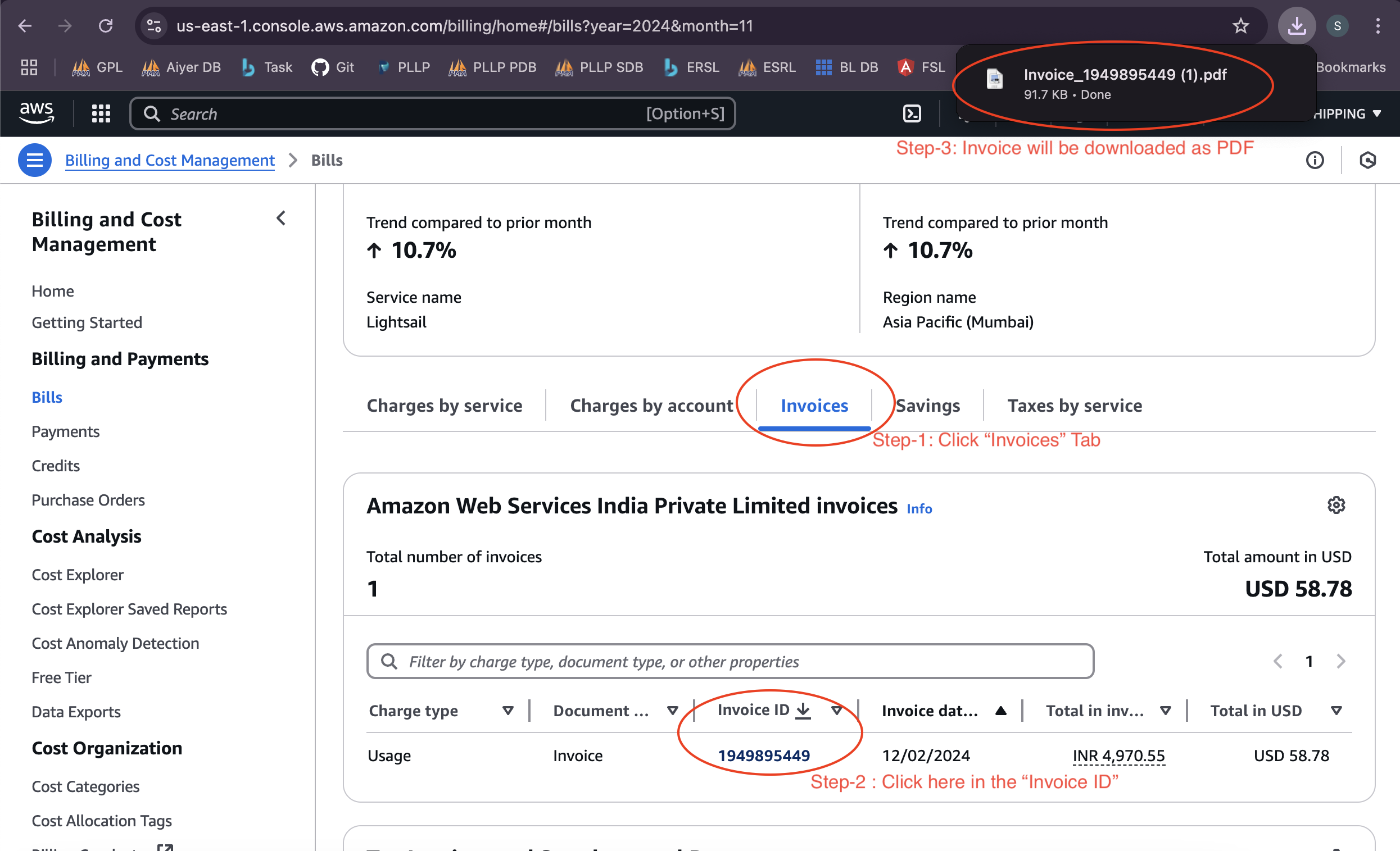
Steps to view AWS Cloud Server monthly invoices:
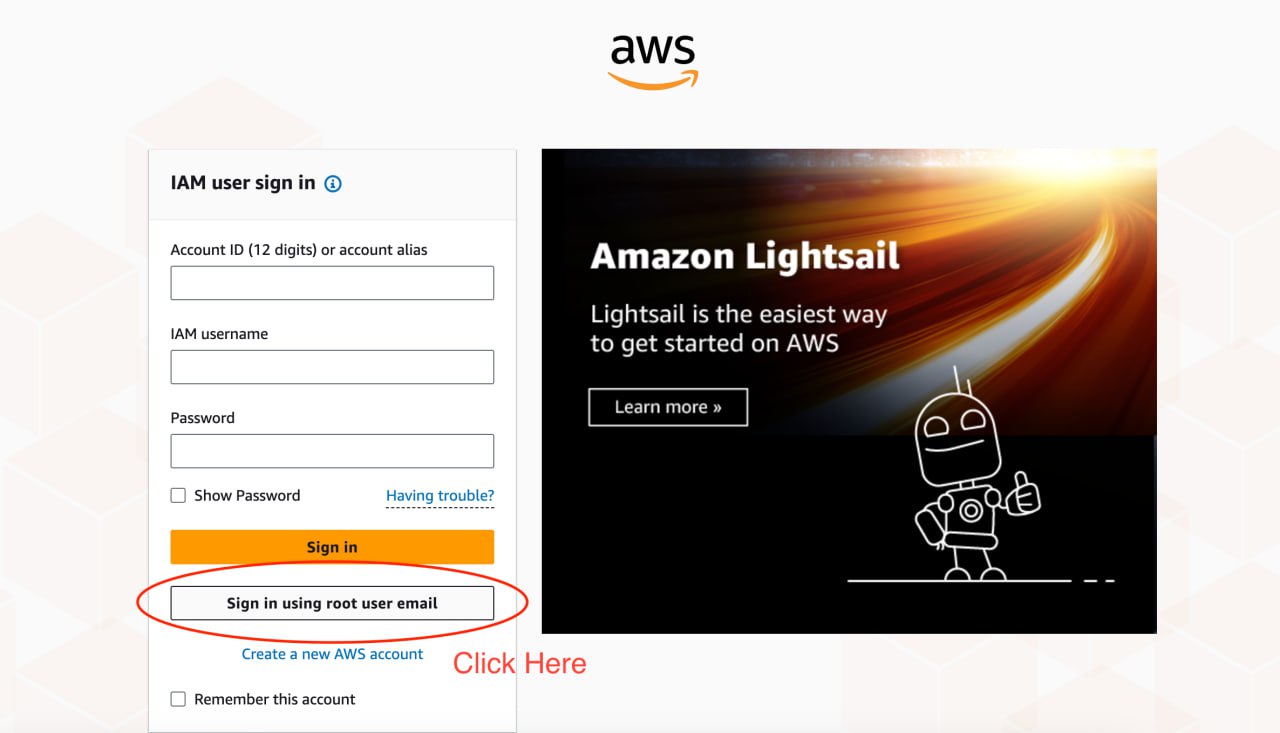
Step 1. Click Sign in using root user email.
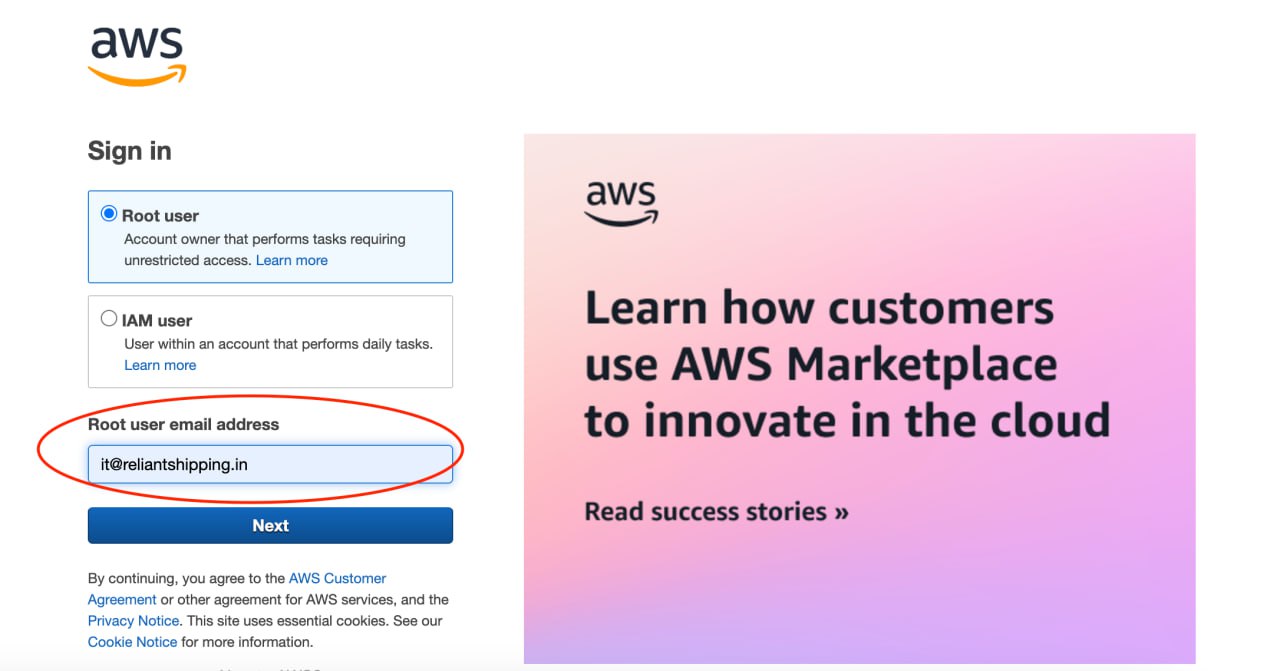
Step 2. Enter the correct Email ID
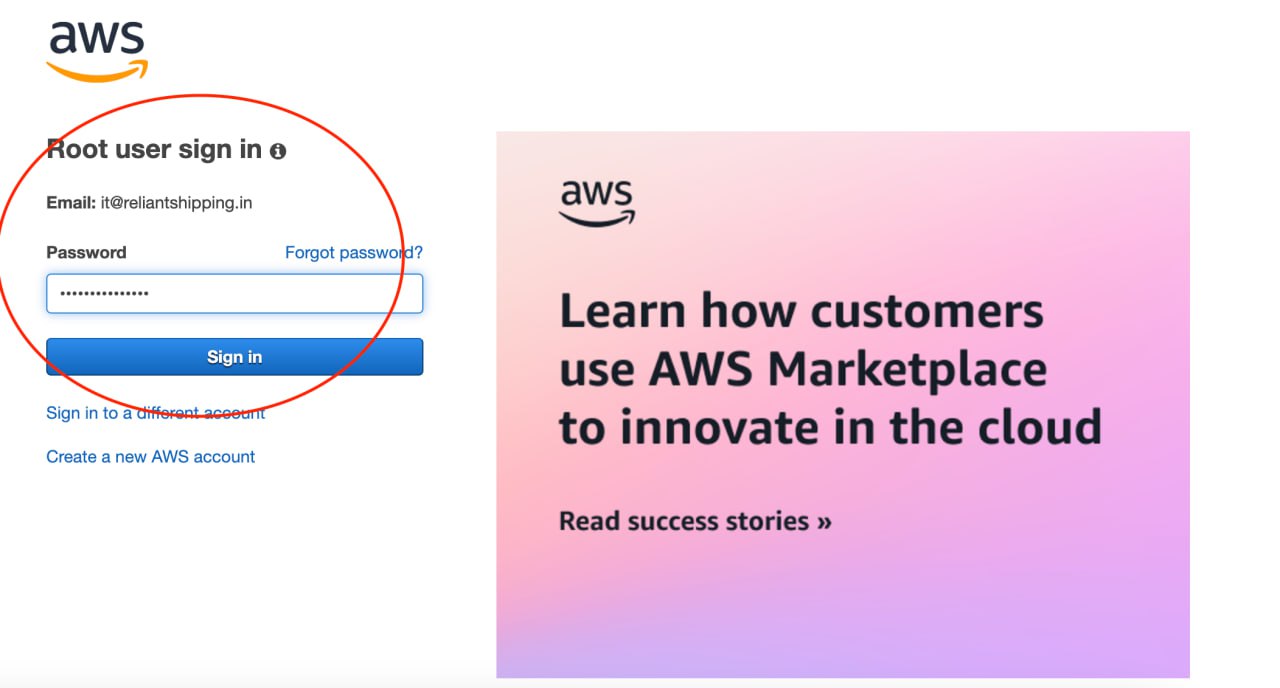
Step 3. Please enter the Correct Password.
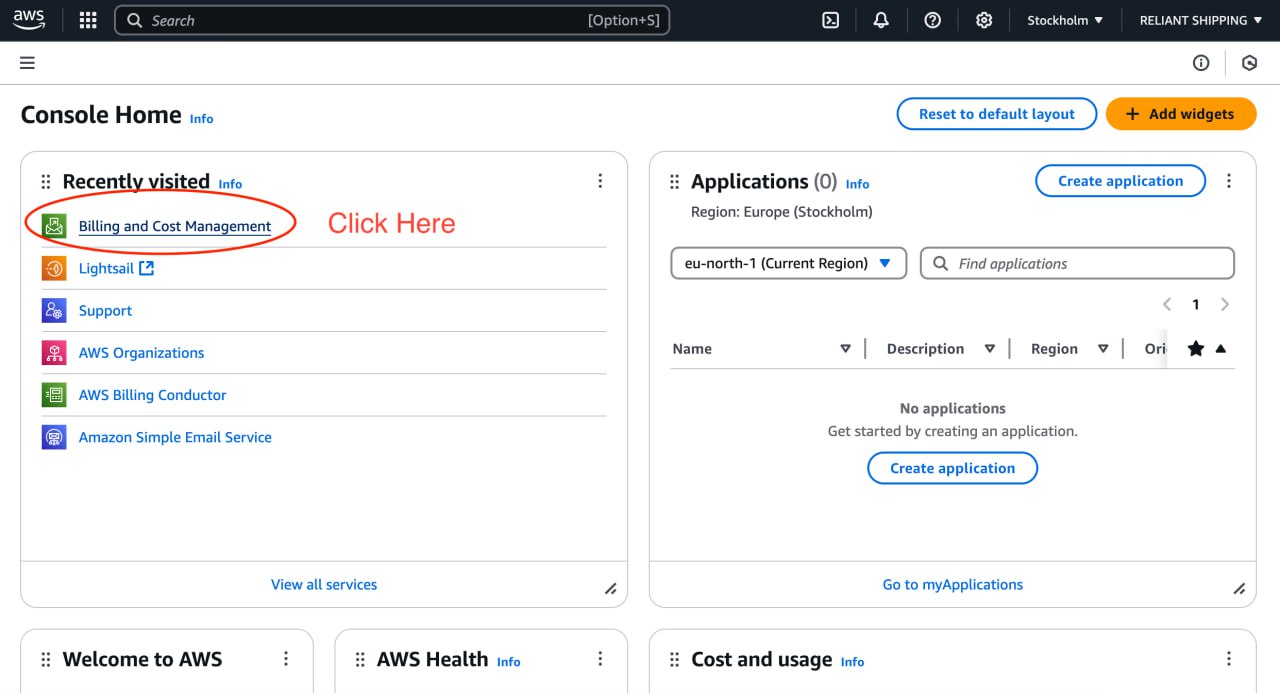
Step 4. Please click the Menu - > Billing and Cost Management
Step 5. Click the Bills Menu -> to view the Invoices.
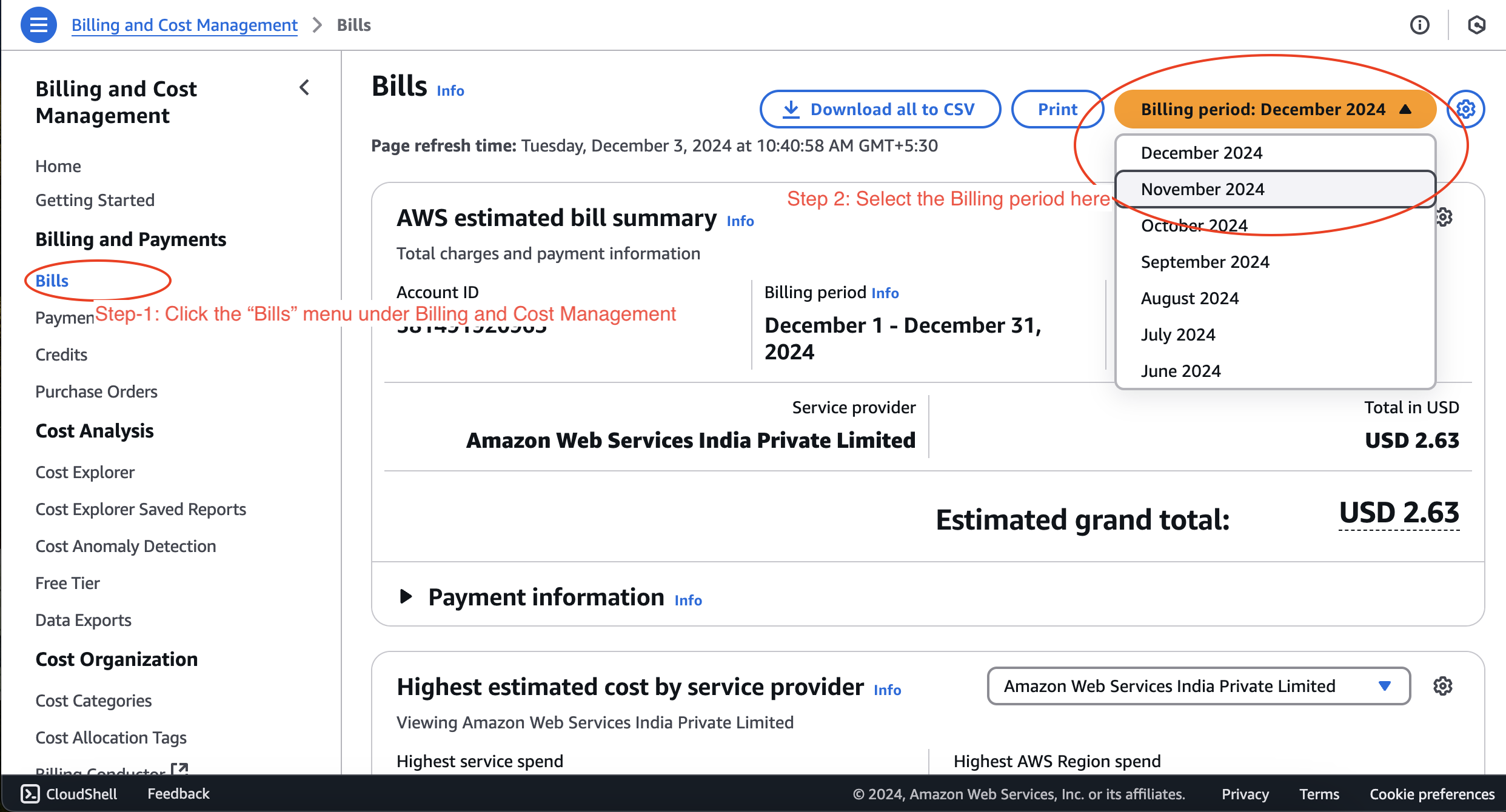
Step 6. Please click the Invoices tab -> and then click the Invoice ID. Automatically Invoice PDF will be downloaded.